CHAPTER 09
Ships & Systems
Vessel class establishes a ship’s system capacity and firing geometry; power allocation and damage determine how much of that potential is available now.
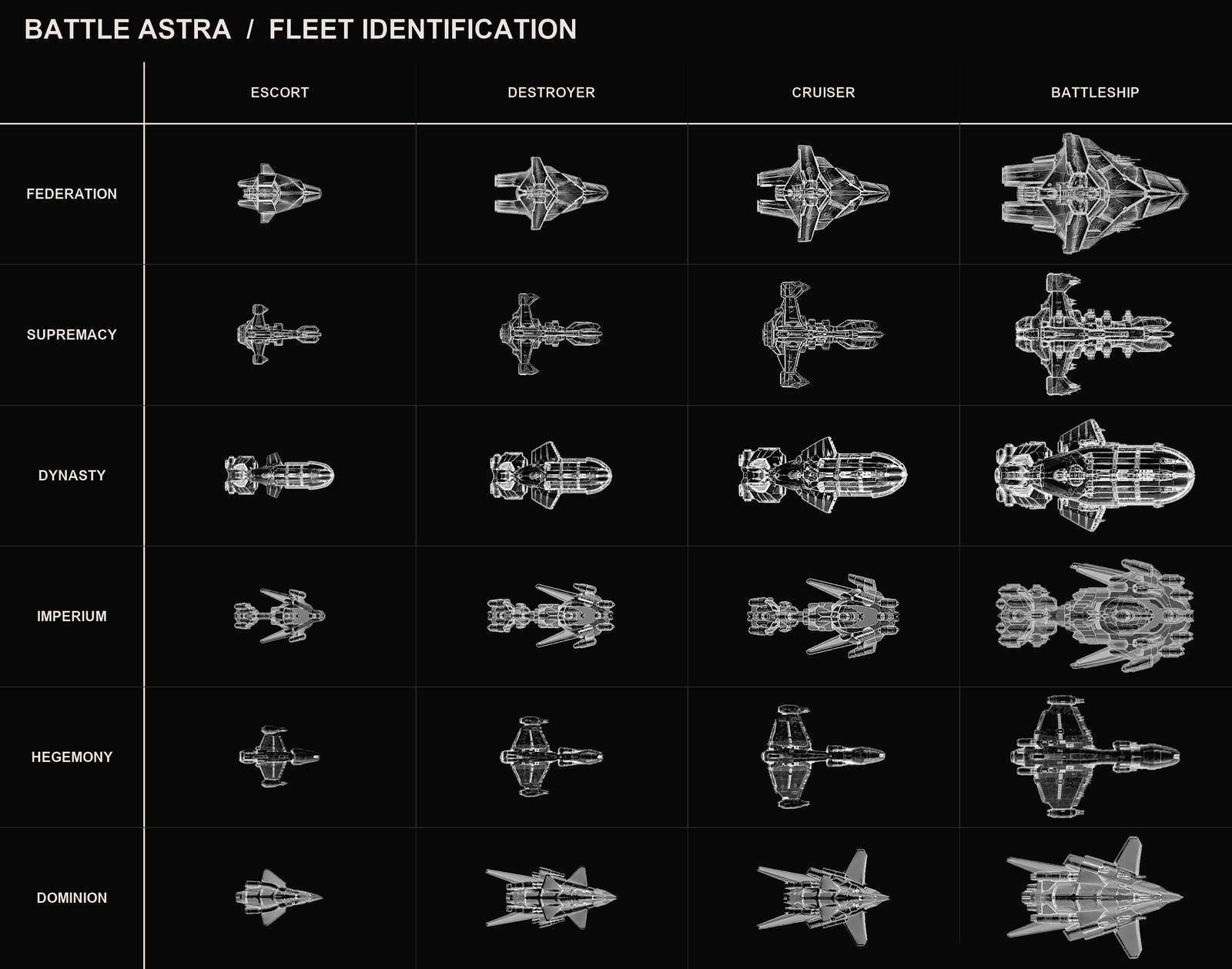
MOBILE SHIP CLASSES
Four levels of mobile warship
Escort
Escorts move in all six directions but fire only forward, forward-port, and forward-starboard.
Destroyer
Destroyers move in the three forward directions. They fire forward, forward-port, forward-starboard, and aft.
Cruiser
Cruisers move in the three forward directions. They fire forward, forward-port, forward-starboard, aft-port, and aft-starboard.
Battleship
The strongest mobile class. Battleships can fire in all six directions but still move only through the forward three directions.
The vessel system model supports levels up to 18, allowing future classes or bonuses without changing the underlying system scale.
STATIONARY UNITS
Star bases and outposts
Star base
A stationary command unit essential to faction survival. It cannot move, join fleets, retreat, or self-destruct, but fires in all six directions. Mobile ships may repair hull only in a sector containing a friendly star base. Stationary defenses can repair their own hull.
Outpost
A stationary defensive unit created when territory is secured. It fires in all six directions and can repair its own hull, but cannot move, join fleets, retreat, or self-destruct.
SHIP SYSTEMS
Capacity, power, and damage
A system can have a factory maximum, a damaged current maximum, and a powered current level. The HUD marks all three states.
Power core
Provides the energy assigned to other systems during an activation.
Engines
Determine how far the ship can move and whether retreat remains possible.
Weapons
Determine attack strength when a legal target and line of fire exist.
Defense
Reduces or absorbs incoming damage according to the battle calculation.
Hull
Represents structural survival. A ship is destroyed when its remaining hull can no longer sustain it.
POWER ALLOCATION
Choose the active configuration
Choose a valid destination first. Engine power is committed to that planned move and is unavailable for weapons and defense during the activation. If a target is already available, you may fire without moving.
When a target is available, Set Power offers Set Attack Power or Defend Only. Defend Only executes the planned movement while keeping the remaining power in defense.
Set Attack Power opens the allocation panel. Select a level on Attack or Defense; any remaining available power goes to the other system when possible. The X control sets that system to zero and reallocates as much power as the other system can accept; overflow remains unallocated in the core.
Target defense, speed, and distance affect the displayed chance to hit. Weapons power determines displayed maximum damage. The panel shows available power after damage and movement.
The confirmation button reads Move Only, Move and Attack, Turn and Attack, Defense Only, or Attack to match the plotted order. Select it to execute. Cancel restores the previous allocation and returns to the battle map.
BEFORE ACTIVATION
Repair and recharge
A unit repairs and recharges before its activation. Each unit can repair up to three damaged system points when it activates.
Mobile ships can repair hull only in a sector containing a friendly star base. Stationary defenses can repair their own hull. Repair and recharge results appear in the event log.