CHAPTER 07
Battle Setup
When hostile factions meet, Battle Astra offers different levels of involvement while preserving the same underlying battle state and result.
CONTESTED SECTOR
A battle begins on the war map
A crossed-swords battle marker appears as soon as two hostile factions occupy a sector. Its faction and unit counts update as additional fleets arrive.
The sector is locked immediately. Ships already there cannot leave, and later orders cannot remove them before the battle is resolved.
BATTLE DECISION
The redirect window
The battle-choice window shows the participants’ emblems, faction names, and unit counts. Available choices depend on whether your faction is involved.
Use the offered control to view the map, watch the battle, or resolve it instantly. Choose before the countdown expires; otherwise the displayed default is used.
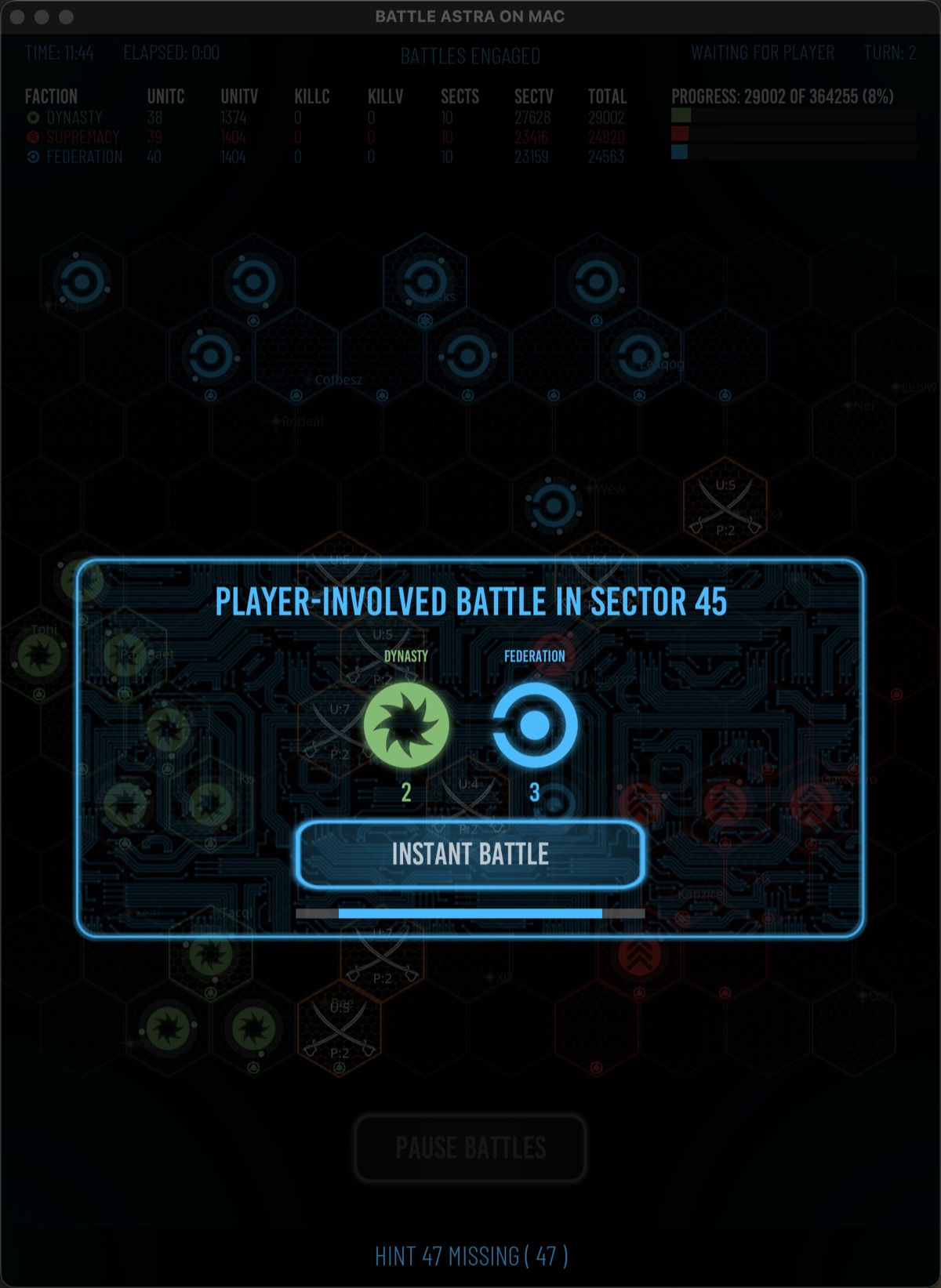
PLAYER-INVOLVED BATTLE
Choose how to command a campaign battle
Direct command
Open the tactical map to command your available units. Follow the default and choices displayed in the battle-choice window.
Auto Resolve
During a campaign battle, Auto Resolve opens BATTLE and, when a safe retreat is possible, RETREAT. Each branch offers INSTANT or WATCH.
Watch
Let the AI act on the tactical map with movement and combat visible.
Instant
Resolve without showing every move, then reveal the resulting positions and damage.
Cancel Auto
Return control as soon as possible after the current action. This is not an undo of actions already resolved.
NONPLAYER BATTLE
Visibility determines the resolution display
- 1
Detected nonplayer battle
When the sector is visible or detected, the redirect can resolve the engagement without opening the tactical map. The resolving display uses faction rows, ship names and classes, system marks, explosions for destruction, and arrows for retreat.
- 2
Completely fog-hidden battle
A battle outside your alliance’s current detection resolves directly over the war map. A wait cursor marks the concealed engagement, but detailed combat information remains hidden; the event log records the result afterward.
- 3
View Map / View Battle
For a detected engagement, open the tactical map before resolution, then use View Battle to watch the AI factions fight.
- 4
Skip to End
Finish a watched battle quickly, update ships to their final positions and damage, and continue to the victory screen.
AFTER RESOLUTION
Inspect before returning to the war
Instant and skipped battles preserve survivor locations, facing, damage, retreats, and destroyed units as if the battle had remained visible.
A short inspection countdown can pause before the victory screen or before the next campaign battle. Use Inspect, Pause Battles, or Next Battle when those controls are offered.